Teachers spend considerable time grading student marks, assigning grades, analyzing class performance, and preparing reports. Although Google Sheets makes it easy to organize student data, managing the entire grading process manually can still be time-consuming. Student GPA Awarder Pro Sheet Add-on helps simplify this work by bringing grading, grade distribution analysis, and PDF report generation together in one convenient Google Sheets add-on.
Spend Less Time Grading and More Time Teaching
Student GPA Awarder Pro is designed for teachers, professors, and academic coordinators who want a more efficient way to manage student results. You can enter marks manually or import them from an existing marksheet, configure grade boundaries according to your institution’s grading policy, and process student results without building complicated spreadsheet formulas from scratch.
Whether you manage a small classroom or a large group of students, the add-on helps organize essential grading tasks within a familiar Google Sheets environment.
Understand Grade Distribution at a Glance
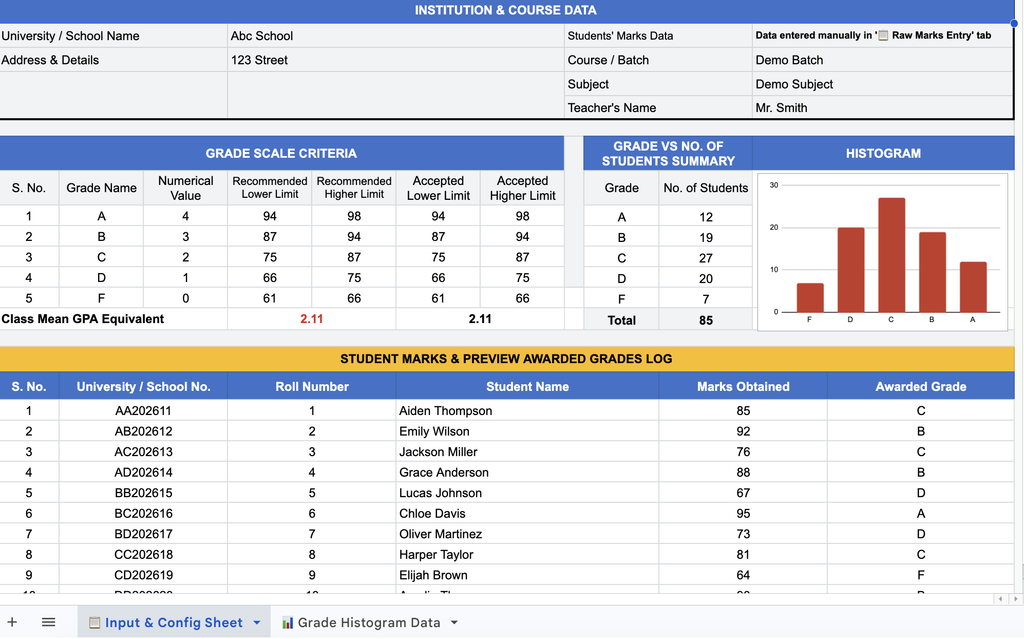
Calculating individual grades is only one part of the grading process. Teachers may also need to understand how grades are distributed across the entire class. Student GPA Awarder Pro includes a visual histogram that helps you examine grade distribution and review the effects of grading adjustments before finalizing results.
The add-on also includes a target mean GPA adjustment feature, allowing educators to explore grading outcomes in relation to a specified class average. Combined with customizable grade boundaries, these features provide a convenient way to review class performance. All grading decisions should, of course, remain consistent with institutional assessment policies and academic standards.
Create Professional Student Reports in Minutes
Preparing reports can be just as tedious as calculating grades. Copying results, formatting spreadsheets, and exporting documents individually can take valuable time away from other academic responsibilities.
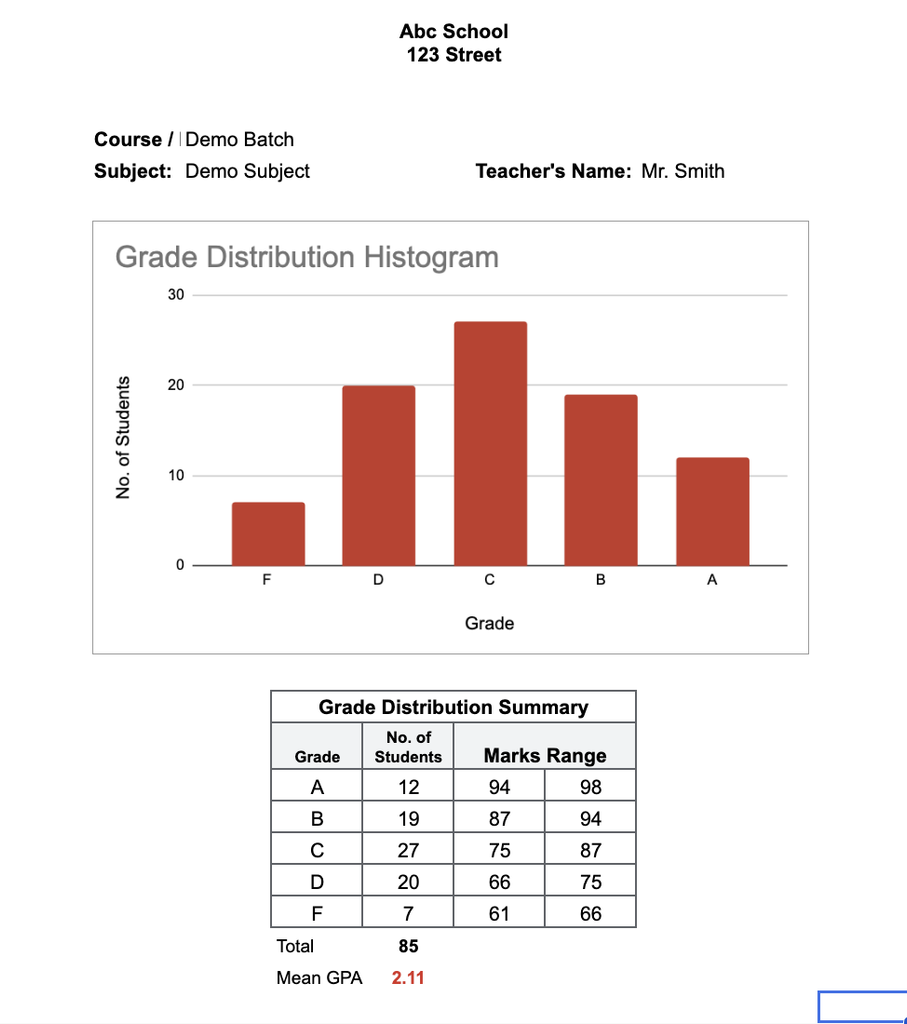
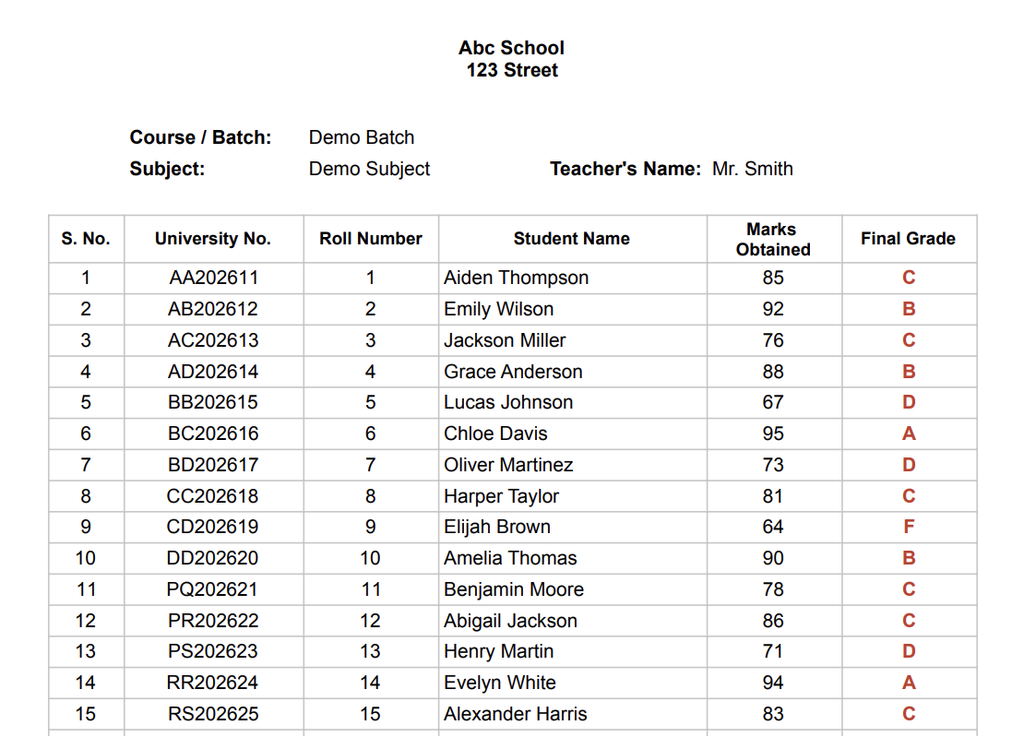
Student GPA Awarder Pro simplifies this process with PDF report generation for individual students and the entire class. Instead of spending time manually formatting every report, educators can generate clean, printable documents that are easier to review, distribute, and maintain as academic records.
The result is a more organized workflow, less repetitive work, and a more professional presentation of student results.
How Does It Work?
Getting started is straightforward. Install Student GPA Awarder Pro from Google Workspace Marketplace, open the add-on in Google Sheets, and initialize the grading workspace. Enter your student marks or import an existing marksheet, configure your grading criteria, and preview the resulting grades and histogram. Once you have reviewed the results, finalize the grades and generate the PDF reports you need.
The workflow is designed to make grading more manageable without requiring teachers to become spreadsheet experts.
See Student GPA Awarder Pro in Action
Want to see how the add-on works before installing it? Watch the demonstration video to explore its interface and grading workflow.
Watch the Student GPA Awarder Pro Demo on YouTube
Make Classroom Grading Easier with Google Sheets
Grading should not require hours of repetitive calculations and report formatting. By combining marks entry, customizable grade boundaries, target mean GPA adjustment, visual grade distribution analysis, and PDF reporting, Student GPA Awarder Pro offers a practical way to organize classroom grading in Google Sheets.
If you already use Google Sheets to manage student marks, this add-on can help you spend less time handling spreadsheets and more time focusing on teaching and student development.
Ready to simplify your grading workflow?
Student GPA Awarder Pro is developed by SheetMake for educators seeking a simpler, more organized approach to classroom grading.